7.0 KiB
Change log
1.0.0 (2017-06-16)
It's time for 1.0.0!
New features
Side Panel
- Introducing side panel: now you can refine your search just by a few clicks. With side panel you can filter documents by time range, source, size or quickly view hidden files

Bugfixes
- Fixed igonoring
auth:noneinconfig.jsonbug (yes, again, sorry) - Other minor bug fixes
Migration from 0.10.0
- To update your Ambar to latest version use
wget -O ambar.py https://static.ambar.cloud/ambar.py && chmod +x ./ambar.py && sudo ./ambar.py update.
0.10.0 (2017-06-02)
New features
Tags:
- Add tags just by typing them right into a search result with a smart autosuggest. Tags are separated by comma or
Enterkey

- Search by one or several tags with
tags:ocr,receiptquery

ocrtag is automatically added for ocr-proccessed files, more auto tags are coming soon
Files removing:
- Now you can hide irrelevant search results with Hide button, so they never display again in your search results

- You can search through hidden files by
show:hiddenquery

- You can restore hidden files with Restore button
UI:
- Last modified date is now displayed in a human readable format
- Search result card design was significantly changed
- Main menu was placed on the right side of the header
Bugfixes
- Fixed igonoring
auth:noneinconfig.jsonbug - Other minor bug fixes
Migration from 0.9.5
- Before updating your Ambar to this version, you need to reset all the data in your Ambar with
sudo ./ambar.py reset. After reset runsudo ./ambar.py updateto get the latest version.
0.9.5 (2017-05-19)
New features
- Major search improvement. Now search works on all the fields at once, this means if you search for "John" Ambar will search for it in files content, full names, sources and authors. This applies to phrase search and fuzzy search as well
- New API methods added to allow users to use Ambar only as a content extractor (please refer to our API documentation for further information)
- Chinese language analyzer added, use
ambar_cninconfig.jsonto enable it
Bugfixes
- Minor UI and WebApi bugfixes (thanks for your feedback)
Migration from 0.9.4
- Migration to this release requires reset of all your data, as we changed ElasticSearch mappings. Use this migration command:
sudo ./ambar.py reset && sudo ./ambar.py update
0.9.4 (2017-05-11)
New features
- Added FTP Crawler
- Added Mail Crawler
Bugfixes
- Minor UI and WebApi bugfixes (thanks for your feedback)
Migration from 0.9.3
- To update your Ambar to latest version use
wget -O ambar.py https://static.ambar.cloud/ambar.py && chmod +x ./ambar.py && sudo ./ambar.py update.
0.9.3 (2017-05-04)
New features
- Community Edition now supports authentication. Don't forget to SignUp!
- New module added - Ambar Proxy. Now by default Ambar API and WEB UI use the same 80 port
- Added Polish language analyzer, use
ambar_plinconfig.jsonto enable it - Internal Ambar networking upgraded that improved stability and performance
Bugfixes
- Minor UI and WebApi bugfixes (thanks for your feedback)
Migration from 0.9.2
- Before updating your Ambar to this version, update your
ambar.pyscript by runningwget -O ambar.py https://static.ambar.cloud/ambar.py && chmod +x ./ambar.pyand removeapi.internal&fe.internalsections from yourconfig.json
0.9.2 (2017-04-27)
New features
- Added avatar for every file type. Click on it to perform search for files with the same extension.

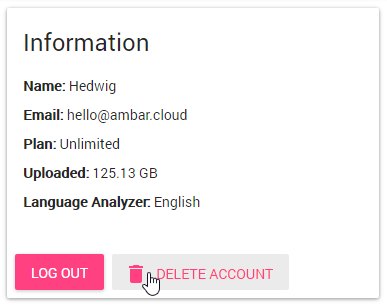
- Added 'Delete user account' button
-
Now you can download extracted text from files ("TEXT" button)

-
Added document preview in Google Viewer. By default this option is disabled as it requires having a public IP address for Ambar. You can preview documents of next formats: doc, docx, ppt, pptx, rtf, txt, xls, xlsx, csv, pdf and sizes less than 3MB. To enable this feature add next lines to your
config.jsonfile:
"api": {
  .....
  "showFilePreview": "true"
  .....
}

-
Modified datetime is displayed in human readbale format

-
Added
reset(remove all data from Ambar) anduninstallactions toambar.pymanagement script
Bugfixes
- Minor bugfixes (thanks for your feedback)
Migration from 0.9.1
- Before updating your Ambar to this version, update your
ambar.pyscript by runningwget -O ambar.py https://static.ambar.cloud/ambar.py && chmod +x ./ambar.py
0.9.1 (2017-04-20)
New features
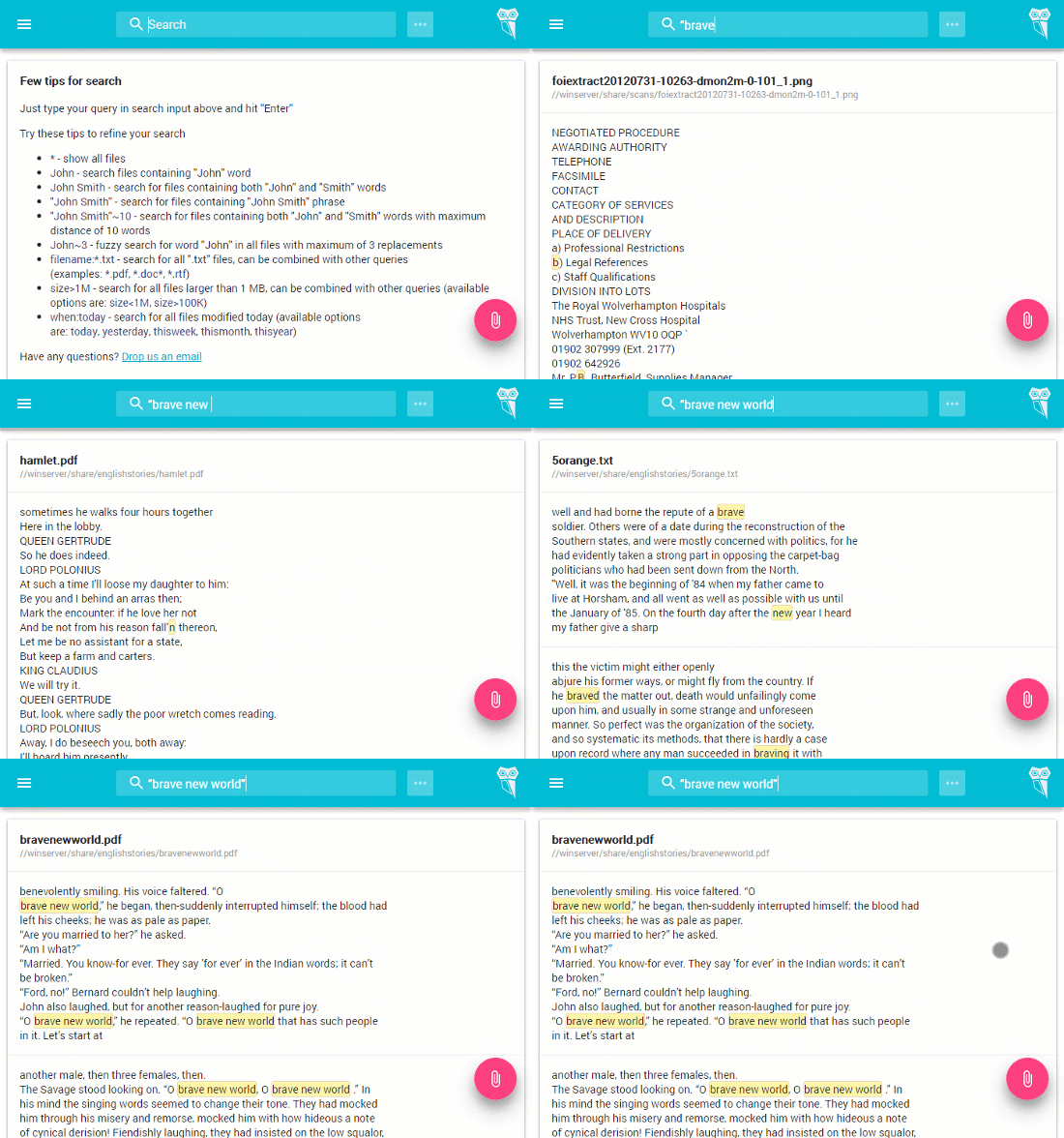
- Introducing Search as You Type
-
Added German language analyzer, use
ambar_deinconfig.jsonto enable it -
Added CJK language analyzer, use
ambar_cjkinconfig.jsonto enable it -
Added search by document update time. Examples:
when:today- search for all documents modified today, other options are: today, yesterday, thisweek, thismonth, thisyear
Bugfixes
- Minor bugfixes (thanks for your feedback)
Migration from 0.9.0
- Before updating your Ambar to this version, update your
ambar.pyscript by runningwget -O ambar.py https://static.ambar.cloud/ambar.py && chmod +x ./ambar.py
0.9.0 (2017-04-14)
New features
-
Added search by Author, all available queries are described here
-
Added Italian language analyzer, use
ambar_itinconfig.jsonto enable it -
Added API documentation to GitHub, so you can connect Ambar with other systems
Bugfixes
- Minor bugfixes (thanks for your feedback)